Regions and Gateways
A region defines the geographic location of a network node. A gateway is the server in that region through which tunnel traffic passes. A single network can contain multiple regions and gateways.
Network Page Structure
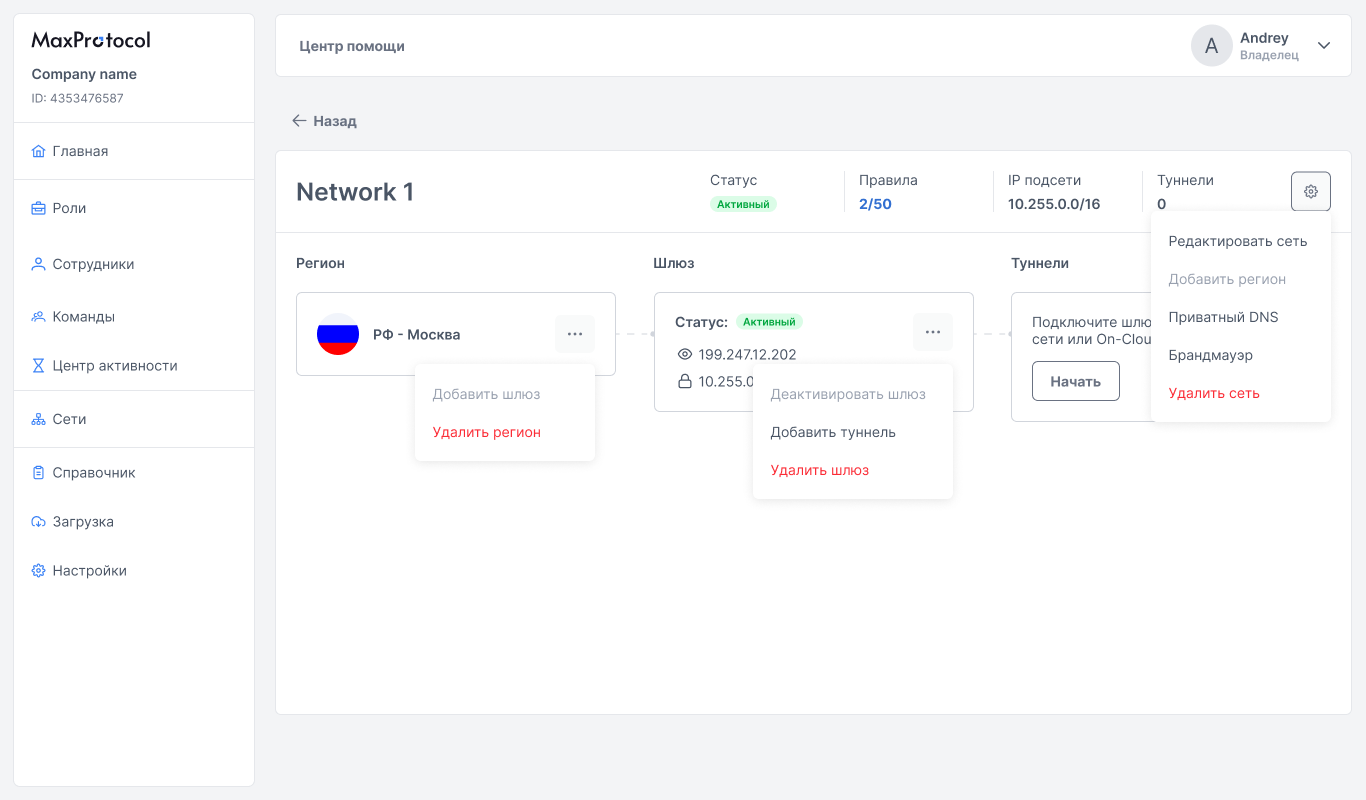
The network page displays the layout: Region → Gateway → Tunnels. Elements are connected by dashed arrows reflecting the connection hierarchy.
Regions
Adding a Region
A region can be added in two ways:
- Via the network settings menu → Add Region
- Via the context menu
⋯on the network list page → Add Region
Region Context Menu
The ⋯ button on the region card opens the menu:
- Add gateway — deploy a gateway in this region (if no gateway exists yet) or add another gateway for this location.
- Delete region — remove the region and its gateway from the network
WARNING
Deleting a region also deletes all gateways and tunnels attached to it.
Gateways
A gateway is a node server through which tunnel connections are established. After a region is created, the gateway is deployed automatically.
Gateway Parameters
| Parameter | Description |
|---|---|
| Status | Current gateway state |
| Public IP | External gateway address (e.g., 199.247.12.202) |
| Internal IP | Gateway address within the network subnet (e.g., 10.255.0.1) |
Gateway Statuses
| Status | Description |
|---|---|
| Active | Gateway is running, tunnels can connect |
| Deactivated | Gateway is temporarily disabled, traffic is not passing |
Gateway Context Menu
The ⋯ button on the gateway card opens the menu:
- Deactivate gateway / Activate gateway — temporarily stop or resume gateway operation
- Add tunnel — open the tunnel creation form for this gateway
- Delete gateway — remove the gateway from the region
WARNING
Deactivating a gateway interrupts all active connections for tunnels attached to it.
Adding a Tunnel via Gateway
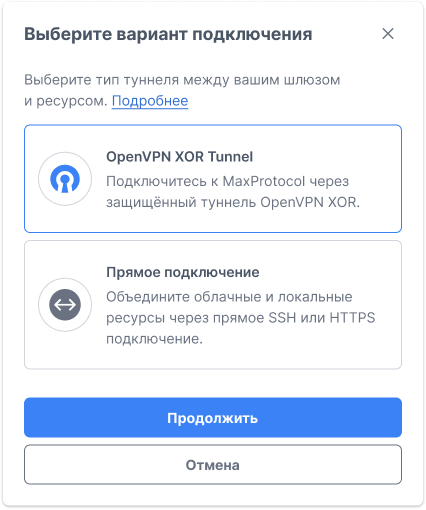
From the gateway context menu, select Add Tunnel — a dialog for selecting the connector type will appear.
Available connectors:
- OpenVPN XOR Tunnel — secure VPN tunnel with traffic obfuscation
- Direct Connection — direct connection via SSH or HTTPS without VPN tunneling