
Download and Install
The MaxProtocol agent provides secure access to your organization's corporate resources. Install the application on your device to connect to the protected network.
The download page is available in the Downloads section of the dashboard's left menu.
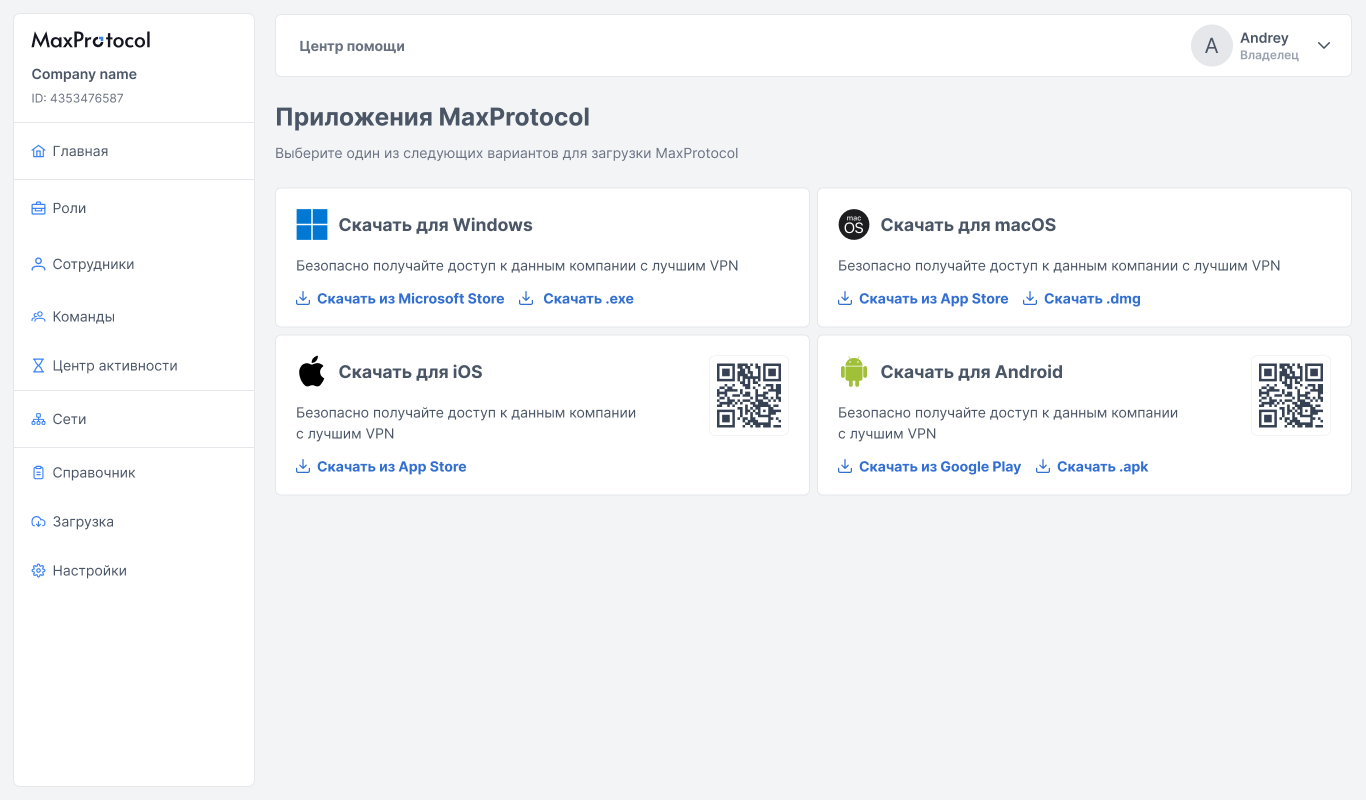
Supported Platforms
| Platform | Installation Options |
|---|---|
| Windows | Microsoft Store, .exe installer |
| macOS | App Store, .dmg installer |
| iOS | App Store |
| Android | Google Play, .apk installer |
NOTE
The table reflects the current version. The list of platforms, button labels, links, and QR codes are served from the backend and change without a dashboard update — check the Downloads page for the current list.
Windows
Installation
Option 1 — via Microsoft Store:
- Click Download from Microsoft Store on the download page.
- In the store, click Get and wait for the installation to complete.
- Launch the MaxProtocol app from the Start menu.
Option 2 — via .exe installer:
- Click Download .exe on the download page.
- Run the downloaded file and follow the installer instructions.
- After completion, launch the MaxProtocol app.
Uninstallation
- Open Settings → Apps → Installed apps.
- Find MaxProtocol in the list.
- Click the three dots next to the app and select Uninstall.
- Confirm the removal.
macOS
Installation
Option 1 — via App Store:
- Click Download from App Store on the download page.
- In the store, click Get and authorize if required.
- After installation, launch MaxProtocol from the Applications folder.
Option 2 — via .dmg installer:
- Click Download .dmg on the download page.
- Open the downloaded
.dmgfile. - Drag the MaxProtocol icon to the Applications folder.
- Launch the app.
NOTE
On first launch, macOS may ask you to confirm opening the app. Go to System Settings → Privacy & Security and click Open Anyway.
Uninstallation
- Open the Applications folder in Finder.
- Find MaxProtocol and drag the icon to the Trash.
- Empty the Trash to complete the removal.
iOS
Installation
- On the download page, click Download from App Store or scan the QR code with your iPhone camera.
- In the App Store, tap Get.
- After installation, open the MaxProtocol app from the home screen.
Uninstallation
- Find the MaxProtocol icon on the home screen.
- Press and hold the icon.
- Select Remove App → Delete App.
Android
Installation
Option 1 — via Google Play:
- On the download page, click Download from Google Play or scan the QR code.
- In Google Play, tap Install.
- After installation, open the MaxProtocol app.
Option 2 — via .apk file:
- Click Download .apk on the download page.
- On your device, allow installation from unknown sources: Settings → Security → Install unknown apps.
- Open the downloaded
.apkfile and tap Install.
WARNING
Installing via .apk requires enabling the permission to install apps from unknown sources. It is recommended to use the official Google Play for security.
Uninstallation
- Open Settings → Apps.
- Find MaxProtocol in the list.
- Tap Uninstall and confirm the action.