
Directory
The Directory is a centralized storage of named network resources (IP addresses, subnets, and lists) that are used in firewall rules and other network settings.
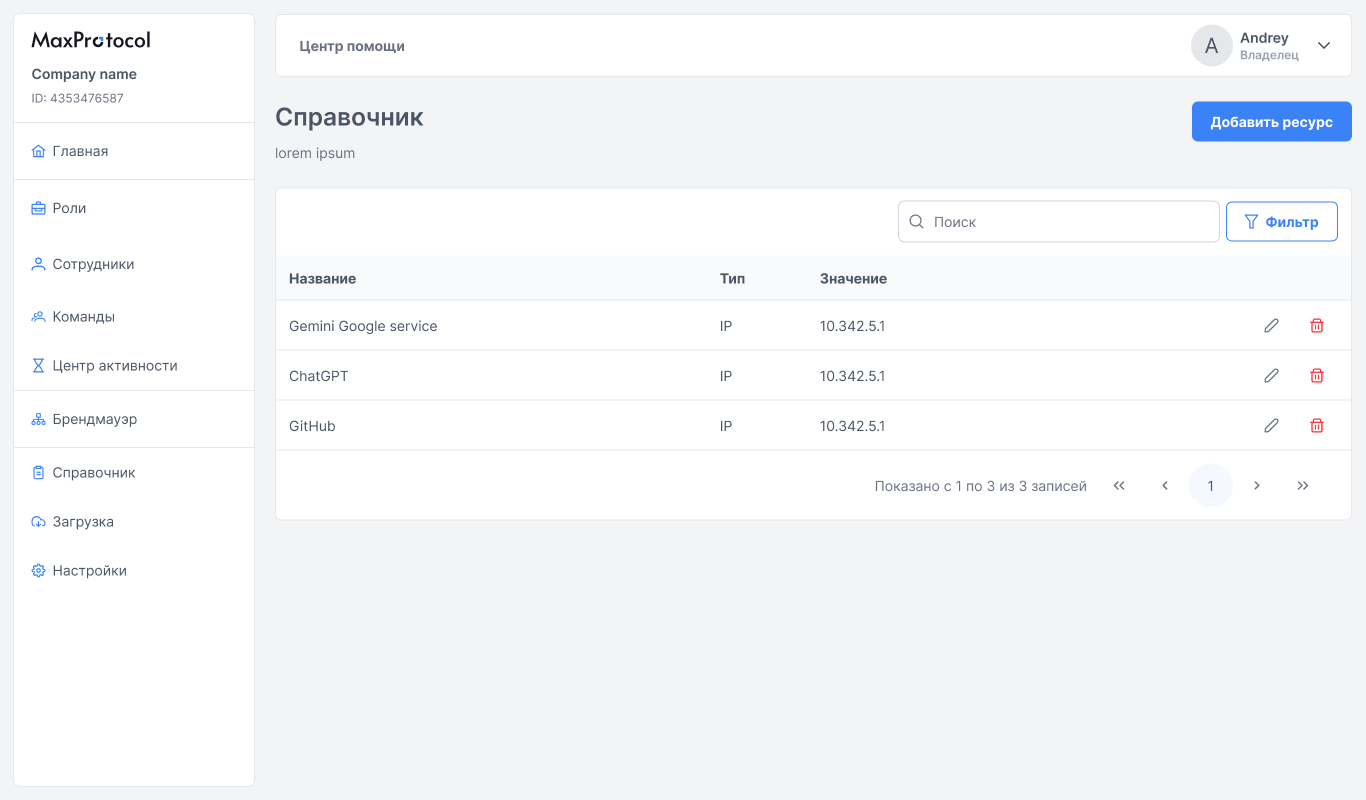
Resource List
The Directory page displays a table of all added resources:
| Column | Description |
|---|---|
| Name | Resource name for identification |
| Type | Resource type: IP, Subnet, or List |
| Value | IP address, subnet, or address list |
Available actions for each resource:
- Edit — pencil icon in the table row.
- Delete — trash icon in the table row.
Resource Types
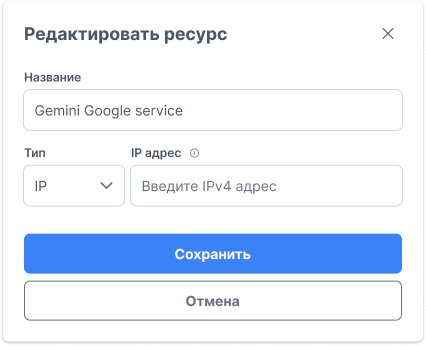
IP
A single IPv4 address. Used to specify a specific host or service.
Example: 10.342.5.1
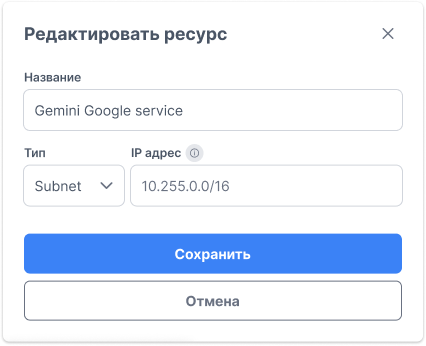
Subnet
A subnet in CIDR notation. Allows you to define an IP address range.
Example: 10.255.0.0/16
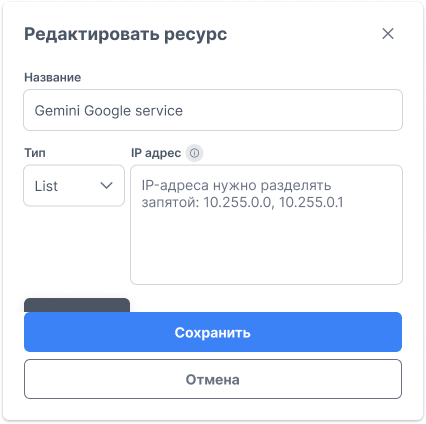
List
A list of multiple IP addresses or subnets combined into one group. Allows applying a single firewall rule to multiple addresses at once.
IP addresses in a list are entered separated by commas: 10.255.0.0, 10.255.0.1
Creating a Resource
- Click the Add Resource button in the top-right corner of the page.
- In the dialog that opens, fill in the fields:
- Name — enter a descriptive resource name (e.g.,
Gemini Google service,ChatGPT,GitHub). - Type — select the type from the dropdown:
IP,Subnet, orList. - IP address — enter the value according to the selected type:
- For
IP— a single IPv4 address. - For
Subnet— a subnet in CIDR notation. - For
List— multiple addresses separated by commas.
- For
- Name — enter a descriptive resource name (e.g.,
- Click Save to add the resource or Cancel to close the dialog.
Use in Firewall
Resources from the Directory are available when creating Firewall rules as traffic source or destination. This provides several benefits:
- Firewall rules use descriptive names instead of IP addresses.
- Changing a resource's address in the Directory automatically applies to all associated rules.
- The
Listtype allows grouping multiple addresses and applying one rule to all of them.
TIP
Give resources descriptive names (e.g., GitHub instead of 140.82.121.3) to make firewall rules more readable.